For grades 3 to 12

Their thinking.
Their discoveries.
A little help along the way.

For the moments when your child needs another explanation or a nudge to keep going. Mr. Nerd works through problems with them, one step at a time, and gives you a clear picture of the session.

πx²N

The problem

A step stops making sense. Parents can't always tell why.

A child hits a step that doesn't click, and an explanation they have already heard doesn't help. A parent sees a wrong answer but not the reason behind it.

Mr. Nerd asks the child to show their thinking, gives a hint before an answer, and tries a different explanation when the first one does not land. Then it tells the parent what happened, so gaps get noticed early.

  1. 01

    You set up your child

    You create the account, add each child, and choose a learning path. Each child signs in with their own access code.

  2. 02

    They work with Mr. Nerd

    One topic at a time, by voice or text. A whiteboard, calculator and code editor are there when the topic needs them.

  3. 03

    You see what happened

    The full record of each session is in your dashboard. A short summary email is sent after a session, unless you have turned those emails off.

From “I don’t get it” to “oh, I see”

  1. ??
    Step 1

    Stuck, or just curious

    Some children hit a step that does not click. Others want to get ahead. Either way, they want a patient someone to think it through with.

  2. Some extra practice onfractions could help.
    Step 2

    A teacher has a suggestion

    A teacher might mention a topic to practise. Mr. Nerd works alongside parents and teachers. It does not replace either.

  3. Mr. Nerd
    Step 3

    A parent finds Mr. Nerd

    You set up an account, add your child and choose a path. Your child signs in with their own code.

  4. 3/8 + 2/8 = ?What happens when thebottom numbers match?
    Step 4

    They work it out together

    Your child explains, draws on the whiteboard and tries. Mr. Nerd asks questions and gives a hint before an answer.

  5. Session summaryNEXT TOPIC TO TRYAdding unlike fractionsTHINGS TO TRYExample layout only
    Step 5

    You see what to try next

    After a session you can see what your child worked on, and a suggested next step for your child to try.

  6. Step 6

    Then do it side by side

    Sit down together, look at the summary, and pick up where they left off.

Subjects

Each subject covers grades 3 to 12, with topics suited to the grade. Science includes biology, chemistry and physics.

MathGrades 3 to 12
+=1234
  • Grades 3 to 5: number work, fractions, measurement, geometry, data
  • Grades 6 to 8: ratios, pre-algebra, equations, statistics
  • Grades 9 to 12: Algebra, Geometry, Precalculus, Calculus
ScienceGrades 3 to 12
  • Grades 3 to 8: integrated science, life, physical, Earth and space
  • Grades 9 to 12: Biology, Chemistry, Physics
ComputingGrades 3 to 12
{ }01
  • Grades 3 to 5: visual logic, sequencing, patterns
  • Grades 6 to 12: programming, algorithms, data and small projects
EngineeringGrades 3 to 12
πx²N
  • Design, build, test and improve
  • Constraints, measurement, models, simple structures, machines and circuits
The workspace

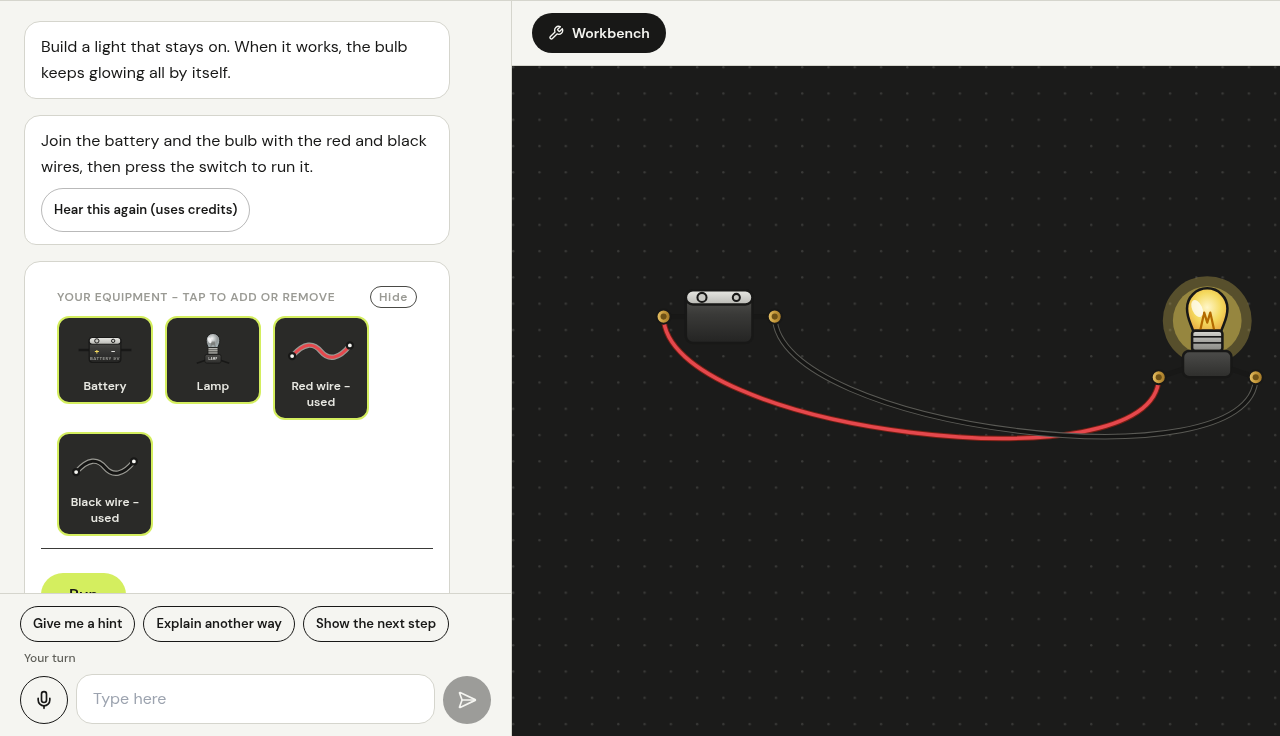
One screen for the whole session. Mr. Nerd talks with your child on one side. The whiteboard, calculator, symbol keyboard and code editor sit beside it, so a child can show their working instead of typing it out.

  • Speak or type. Mr. Nerd answers out loud or in text.
  • Quiz answers are checked and saved. If an answer cannot be checked reliably, we say so instead of guessing.
  • Progress is recorded per topic, not per minute spent.
πx²N

For parents

You see where your child got stuck, not just a score.

Your dashboard shows each child, the topics covered, quiz questions with their answers and the explanation, and how many hints were needed. Mr. Nerd is an AI tutor and can be wrong, so its notes are labelled as its own view.

You choose the subjects and topics. Mr. Nerd is extra support alongside you and your child's teachers. It does not replace either. We want no child left behind, and we cannot promise that result.

Create a parent account

Start with one child and one topic that is stuck.

Create a parent account, add your child, and try one session.